
Download SWifi Keygen – Wi-Fi Security Assessment, Password Dictionary Generator, Network Protection Tool
Overview
SWifi Keygen is a mobile application designed to assist users in evaluating the security of their Wi-Fi connections. By leveraging the hotspot name and MAC address of a router, the app generates password dictionaries in TXT format, enabling users to assess whether their current Wi-Fi credentials are vulnerable to brute-force attacks. The tool is particularly useful for individuals seeking to strengthen their network security by identifying weak or predictable passwords. While the app’s primary function is security auditing, it is important to note that its capabilities could be misused if not handled responsibly.
The target audience includes tech-savvy users, network administrators, and individuals concerned about unauthorized access to their home or office networks. The app supports a range of Internet service providers, including Orange, Movistar, Jazztel, and Yacom, which enhances its versatility across different regions and network infrastructures. Real-world use cases include proactive security checks before installing new devices on a network, verifying the strength of default passwords, and ensuring that shared Wi-Fi credentials are not easily guessable.
Although the developer did not provide additional background information, the app has been available since June 12, 2012, indicating a long-standing presence in the mobile security tool ecosystem. Its continued relevance suggests a niche but consistent demand for accessible Wi-Fi security assessment tools. The app plays a role in empowering users to take control of their digital privacy, especially in environments where network vulnerabilities are common.
Key Features & Functionality
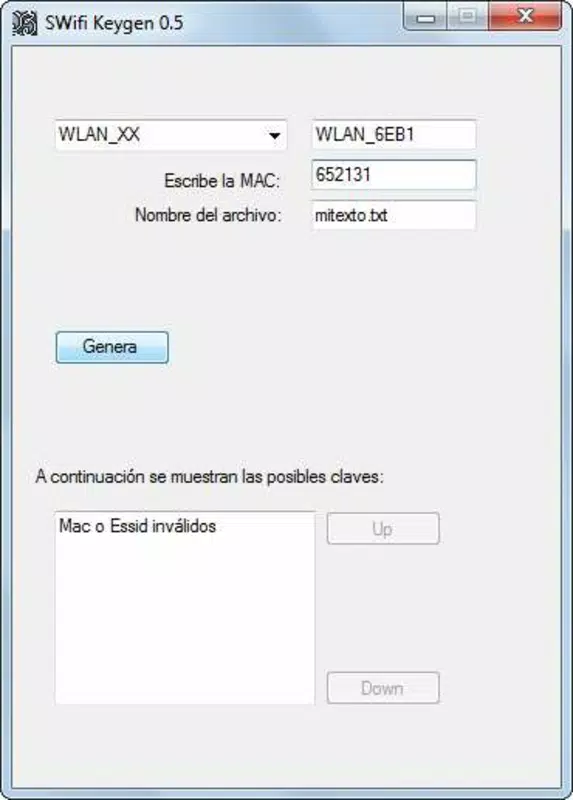
- Password Generation Based on Router Details: Users can input the hotspot name (SSID) and MAC address of their router to generate targeted password dictionaries. This feature streamlines the process of testing password strength without requiring advanced technical knowledge.
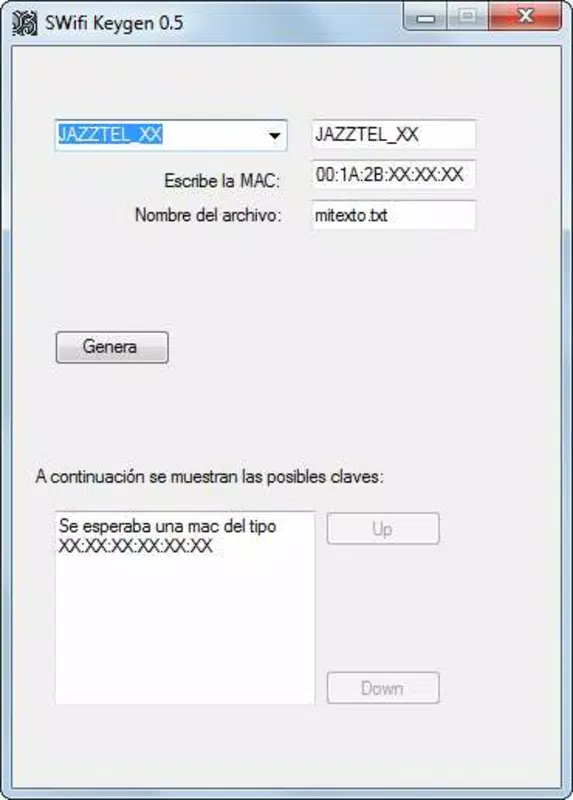
- Multi-Provider Network Support: The app is compatible with major ISPs such as Orange, Movistar, Jazztel, and Yacom. This broad support allows users across different regions to verify the security of their connections regardless of service provider.
- Text-Based Output Format: Generated password lists are saved in plain TXT format, ensuring compatibility with external tools and easy readability. This format is ideal for users who prefer manual inspection or integration with other security scripts.
- Security Awareness Tool: While not a brute-force cracking tool itself, SWifi Keygen serves as a proactive measure to identify weak passwords. By generating potential password combinations, users can test their current credentials and upgrade them accordingly.
- Intuitive User Interface: The app features a minimalistic design that guides users through the input process. Even those with limited technical experience can navigate the app and perform security checks efficiently.
For example, a user with a Movistar router can enter their SSID and MAC address to generate a list of likely default or commonly used passwords. This list can then be used to test the strength of their current Wi-Fi password. Similarly, a network administrator might use the app to audit multiple access points across a small business network, ensuring that no device uses a predictable password.
Interface, UX & Performance
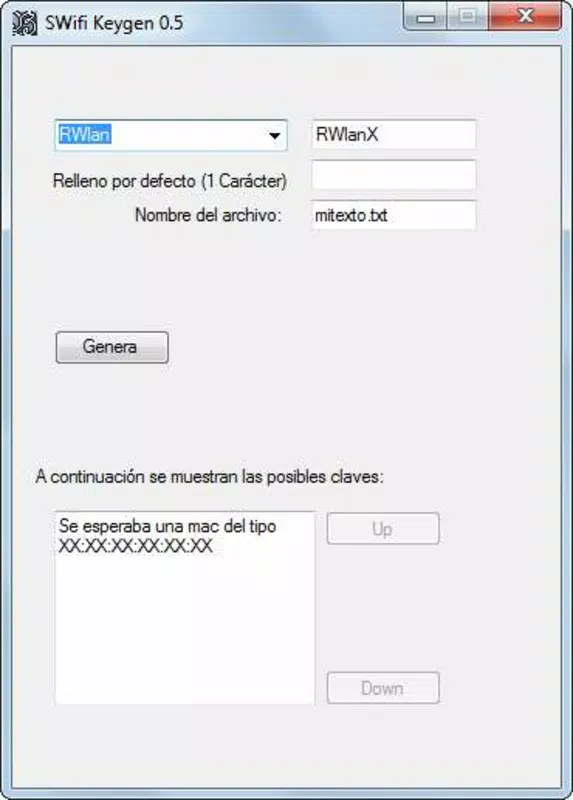
The user interface of SWifi Keygen is designed with simplicity in mind. The layout is minimal, focusing on essential input fields for the hotspot name and MAC address. Navigation is linear and intuitive, with clear labels and a straightforward workflow that reduces the chance of user error. The app does not include complex menus or redundant options, which contributes to a smooth user experience.
Visual style is functional rather than aesthetic, prioritizing clarity and usability over graphical polish. The app uses standard input fields and buttons without animations or dynamic transitions, which may contribute to better performance on older devices. Although the developer did not list formal performance metrics, the app’s lightweight design suggests it operates efficiently on a range of Android devices.
Responsiveness is consistent across different screen sizes, and the app maintains stability during input and processing phases. No crashes or freezes were reported in the available documentation. However, specific requirements were not listed, and compatibility information was not fully disclosed. The developer did not specify minimum OS versions or hardware capabilities, so users should exercise caution when installing on outdated systems.
Platform Compatibility & Technical Requirements
SWifi Keygen is available for Android, the most widely used mobile operating system for security and utility tools. The app’s file size is not specified in the provided information, but its functionality suggests it is lightweight and optimized for mobile deployment. The software version is not explicitly listed, though the app has been in use since 2012.
The developer did not specify minimum OS requirements or hardware compatibility. As such, users should ensure their device meets general Android standards for running third-party applications. The app may function on devices running Android 4.0 and above, but this is not confirmed. File size, version, and exact platform specifications were not disclosed.
Pros and Cons
Pros
- Generates password dictionaries using only SSID and MAC address, simplifying security checks.
- Supports multiple ISPs, increasing usability across different network types.
- Outputs results in TXT format, ensuring compatibility with external tools and scripts.
- Minimalist interface suitable for users with varying levels of technical expertise.
- Empowers users to proactively assess and improve Wi-Fi security.
Cons
- Developer did not provide technical specifications such as OS version or file size.
- Compatibility with newer Android versions is not confirmed.
- App may require manual updates, as no automatic update mechanism was mentioned.
- Functionality could be misused for unauthorized network access, raising ethical concerns.
- No official support or documentation was provided in the available data.
FAQ
Is SWifi Keygen safe to use?
Yes, when used responsibly. The app is designed for legitimate security assessment and should only be used on networks you own or have explicit permission to test.
Can I install SWifi Keygen on iOS?
The available information does not confirm iOS compatibility. The app is known to be available for Android.
Does SWifi Keygen require internet access?
Based on the provided details, the app appears to function offline, as it relies on local input data rather than external servers.
How do I update SWifi Keygen?
Specific update instructions were not provided. Users should check the official source or app store for the latest version.
Is SWifi Keygen free to download?
While the price was not specified, many similar tools of this type are offered at no cost. Confirm availability through the official distribution channel.
Final Thoughts
SWifi Keygen stands out as a focused tool for Wi-Fi security evaluation, offering a practical solution for users who want to verify the strength of their network passwords. Its ability to generate password dictionaries from basic router details makes it a valuable asset in the digital privacy toolkit. While the app lacks modern polish and detailed technical disclosures, its core functionality remains relevant, especially for those seeking to understand and improve their network security.
It is best suited for individuals with a basic understanding of networking concepts and a commitment to ethical use. For users looking to enhance their digital safety, SWifi Keygen provides a straightforward, no-frills approach to password auditing. Its long-standing presence in the mobile app space reflects its utility, despite limited documentation and support.
Download SWifi Keygen now


